
How I Stopped ❄️ Cortex Agents from Auto-Picking the Expensive Model
How to configure Cortex Agent models for all agents at once


TL/DR: Claude Opus 4.8 became available in Snowflake on May 27, and my Cortex Agents were using AUTO model selection. Costs jumped almost immediately, so I pinned every agent to claude-sonnet-4-6. The change itself was a one-line Python update, finding that line took me a bit 😅
I generally like predictable AI costs (who doesn't?!). Until very recently, agent consumption stayed within reasonable bounds (my budget), so I didn't really care what model each of my Snowflake Cortex Agents used and configured them to automatically select their LLM. AUTO model selection works well when the available models stay relatively stable. But once Opus 4.8 arrived in Cortex, several agents started selecting a more capable (and more expensive) model. The agents worked perfectly, only my usage charts were unhappy.

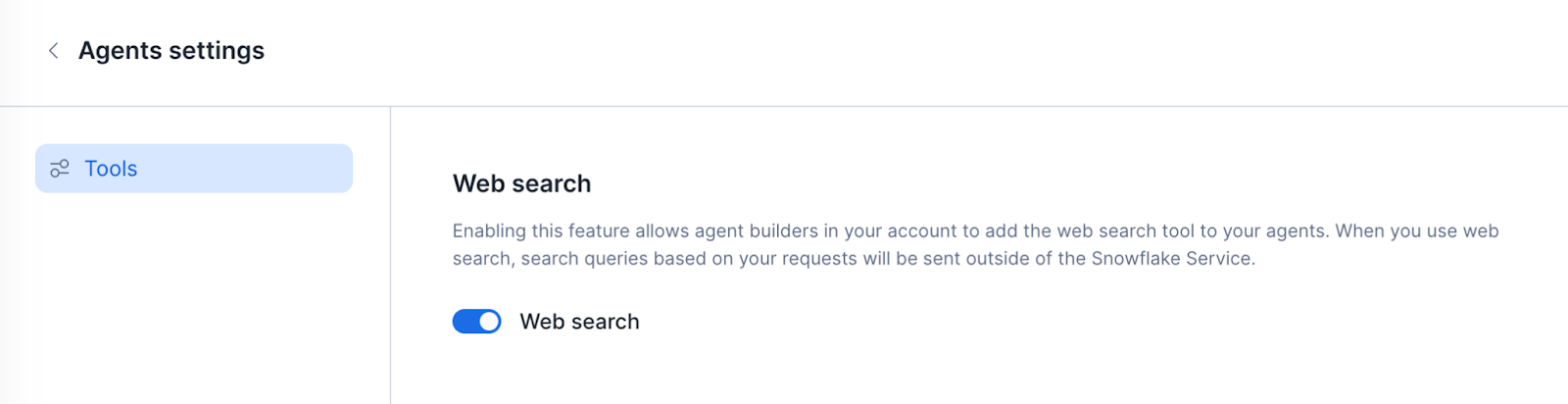
So I moved every Cortex Agent in the account from AUTO selection to an explicit orchestration model.
One model change, eleven agents
I currently have 11 agents (I wrote about 2 of them one of them here and here) spread across several databases and schemas. I quickly learned there is no account-level default orchestration model. Each agent stores its model inside its specification under models.orchestration. The SQL interface for changing it is:
ALTER AGENT <my_agent>
MODIFY LIVE VERSION
SET SPECIFICATION = '<json>';
Here is the catch: Snowflake replaces the entire specification. I could not update just one field - I had to read the current specification, preserve everything else, change one value, and write the full document back.
Read the specification
My first attempt used DESCRIBE AGENT. The plan seemed straightforward:
spec = json.loads(agent_spec)
spec["models"]["orchestration"] = "claude-sonnet-4-6"
new_spec = json.dumps(spec)
Snowflake disagreed. Every update was rejected with Operation failed since agent spec is invalid.
I first blamed Unicode escaping, then YAML formatting, then my cleaning logic. None of those explanations held up for long.
I switched to reading the live YAML directly from the agent stage so I could avoid the JSON round-trip and patch only the orchestration line. Every Cortex Agent's specification is stored as a YAML file on an internal Snowflake stage at a predictable path:
SELECT $1
FROM 'snow://agent/<agent_fqn>/versions/live/agent_spec.yaml';
That produced another surprise. I expected roughly 13 KB of YAML. I received 154 bytes. For a while, I was debugging a file that mostly did not exist.
The fix was reading the file line by line and reconstructing it afterwards:
CREATE FILE FORMAT IF NOT EXISTS SANDBOX.PUBLIC.LINE_BY_LINE
  TYPE = 'CSV'
  FIELD_DELIMITER = 'NONE'
  RECORD_DELIMITER = '\n'
  TRIM_SPACE = FALSE;

SELECT $1
FROM 'snow://agent/<agent_fqn>/versions/live/agent_spec.yaml'
  (FILE_FORMAT => SANDBOX.PUBLIC.LINE_BY_LINE);
This finally exposed the full spec (about 64 lines).
Once I had the complete YAML, I found another problem. Snowflake returns fields that I haven't configured for my agents (yet) and it won't accept those when writing the specification back. In my case: skills, mcp_servers, mcp_config, ... Such null-valued fields had to be removed before writing back the spec. Also, the field experimental seems to be internal, so it has to be removed anyway. I built a cleaning function to whitelist only relevant fields. It still failed.
The destructive experiment
At this point, I wanted to isolate the problem. I built a minimal specification containing only the orchestration model:
{
  "models": {
    "orchestration": "claude-sonnet-4-6"
  }
}
Snowflake accepted it immediately. That result felt encouraging for about ten seconds. Then I realized the live agent now contained exactly that specification and nothing else: no instructions and no tools. I had accidentally proven that the ALTER statement worked perfectly.
Recovering the original configuration turned out to be easier than expected. Earlier debugging queries had already read the original YAML. Snowflake keeps query results for roughly 24 hours, so I pulled the query IDs from ACCOUNT_USAGE.QUERY_HISTORY and rebuilt the specifications using RESULT_SCAN. That recovery path saved me from recreating eleven agents by hand.
Find the real bug
With one safely recoverable agent available for testing, I started bisecting. I added sections back one by one, shortened instructions, removed tools, and reintroduced tool resources.
Eventually I traced the failure to a single orchestration instruction containing embedded double quotes:
Handle the "Why" questions.That line should have serialized into JSON with escaped quotes:
\"Why\"Instead, Snowflake processed the backslash escapes inside the SQL string literal before the Cortex Agent parser saw them. As a result, \" became a bare double quote and \n became an actual newline. The JSON reaching ALTER AGENT was no longer valid JSON.
Everything finally clicked. The invalid fields were real, and the YAML issues were real, but the root cause was hidden inside string escaping: Snowflake interprets backslash escapes inside single-quoted string literals.
Apply the fix
The final solution became pretty small. Before sending the specification to Snowflake, I escaped backslashes first and single quotes second:
new_spec = (
    json.dumps(cleaned, ensure_ascii=False)
        .replace('\\', '\\\\')
        .replace("'", "''")
)
That preserves escaped quotes, escaped newlines, Unicode characters, and everything else embedded inside the JSON.
The final solution
I wrapped the whole flow into a reusable stored procedure. It reads each agent's current live spec, cleans it of invalid/unused fields, injects the target model, handles the escaping correctly, and applies the ALTER.
CREATE OR REPLACE PROCEDURE SANDBOX.PUBLIC.SET_AGENTS_MODEL(model_name VARCHAR)
RETURNS VARIANT
LANGUAGE PYTHON
RUNTIME_VERSION = '3.12'
PACKAGES = ('snowflake-snowpark-python', 'pyyaml')
HANDLER = 'run'
EXECUTE AS CALLER
AS
$$
import yaml
import json

# 'experimental' is a Snowflake-internal field not accepted by ALTER AGENT.
STRIP_ALWAYS = {'experimental'}

def strip_nulls(obj):
    """Recursively remove null-valued keys from dicts; leave lists and scalars intact."""
    if isinstance(obj, dict):
        return {k: strip_nulls(v) for k, v in obj.items() if v is not None}
    if isinstance(obj, list):
        return [strip_nulls(item) for item in obj]
    return obj

def clean_spec(spec, model_name):
    """Drop known-internal keys, strip nulls throughout, then set the model."""
    out = {k: v for k, v in spec.items() if k not in STRIP_ALWAYS}
    out = strip_nulls(out)
    out.setdefault('models', {})['orchestration'] = model_name
    return out

def run(session, model_name):
    results = []
    agents = session.sql('SHOW AGENTS IN ACCOUNT').collect()

    for row in agents:
        db, schema, name = row['database_name'], row['schema_name'], row['name']
        fqn  = f'"{db}"."{schema}"."{name}"'
        bare = f'{db}.{schema}.{name}'

        try:
            # Read the current live spec YAML (line by line; whole-file reads truncate).
            rows = session.sql(
                f"SELECT $1 FROM 'snow://agent/{bare}/versions/live/agent_spec.yaml'"
                " (FILE_FORMAT => SANDBOX.PUBLIC.LINE_BY_LINE)"
            ).collect()
            yaml_text = '\n'.join(str(r[0]) for r in rows)

            spec    = yaml.safe_load(yaml_text) or {}
            cleaned = clean_spec(spec, model_name)

            # Escape backslashes FIRST: Snowflake unescapes \\ and \" inside '...' literals,
            # corrupting the embedded JSON. Backslashes must be doubled before escaping quotes.
            new_spec = json.dumps(cleaned, ensure_ascii=False).replace('\\', '\\\\').replace("'", "''")

            session.sql(
                f"ALTER AGENT {fqn} MODIFY LIVE VERSION SET SPECIFICATION = '{new_spec}'"
            ).collect()

            results.append({'agent': bare, 'status': 'updated'})
        except Exception as e:
            results.append({'agent': bare, 'status': f'ERROR: {str(e)}'})

    return results
$$;
The interface is intentionally simple:
CALL SANDBOX.PUBLIC.SET_AGENTS_MODEL('claude-sonnet-4-6');Why use Python inside a stored procedure instead of pure SQL? Because once I started cleaning nested structures, selectively removing unused fields, and handling edge cases, Python was much easier to reason about than string manipulation in SQL.
All 11 agents were restored and updated successfully. I now have predictable model selection (and, hence, predictable costs) and a reusable migration procedure for the next time Snowflake I want to migrate all agents at once (i.e. when the currently set model reaches its end of live, presumably in about 2 weeks or so 🙄).
And that's really it: a one-line fix hidden behind a few iterations of debugging, one accidental self-inflicted outage, and a renewed appreciation for Snowflake's result cache 😎