Microsoft Entra, SCIM and Snowflake Network Policies
When using Network Policies and Entra Provisioning to Snowflake, you either go public or combine multiple Network Rules

TL/DR: When using Network Policies and Entra Provisioning to Snowflake, you either go public or combine multiple Network Rules
Generally Using Single-Sign-On (SSO) in Snowflake is a pretty good (and safe) idea (No passwords and convenience for users). To add another layer of security, I wanted to add Network Policies on top, particularly for Service Users who don’t use SSO. And while I’m at it, why not add an account-wide Network Policy for all users (and Security Integrations)? So I set up a couple of Network Policies. And suddenly my Microsoft Entra sent a notification: the Provisioning doesn’t work anymore.
Provisioning with Entra uses a Security Integration in Snowflake to assign Users and Groups automatically in Snowflake (in accordance with their Entra groups). Since Security Integrations are affected by Network Policies, this was expected.
Now, finding all the relevant IPs to whitelist in the Provisioning Security Integration is a bit of manual work, but not too hard - I thought:
- Download all Azure IP ranges from Microsoft
- Pick those related to Entra
- Add those to a Network Rule
- Add the Network Rule to a Network Policy
- Apply the Network Policy to the Provisioning Security Integration
But that didn’t work. There is an inconspicuous tiny little aspect noted in the prerequisites section:
[…] ensure that the network policy in Snowflake allows access from all of the Azure IP addresses for the Public Cloud or the US Government Cloud. Currently, all Azure IP addresses are required to create a Microsoft Entra ID SCIM network policy.
The Entra-related IP ranges are simply not enough 🙄
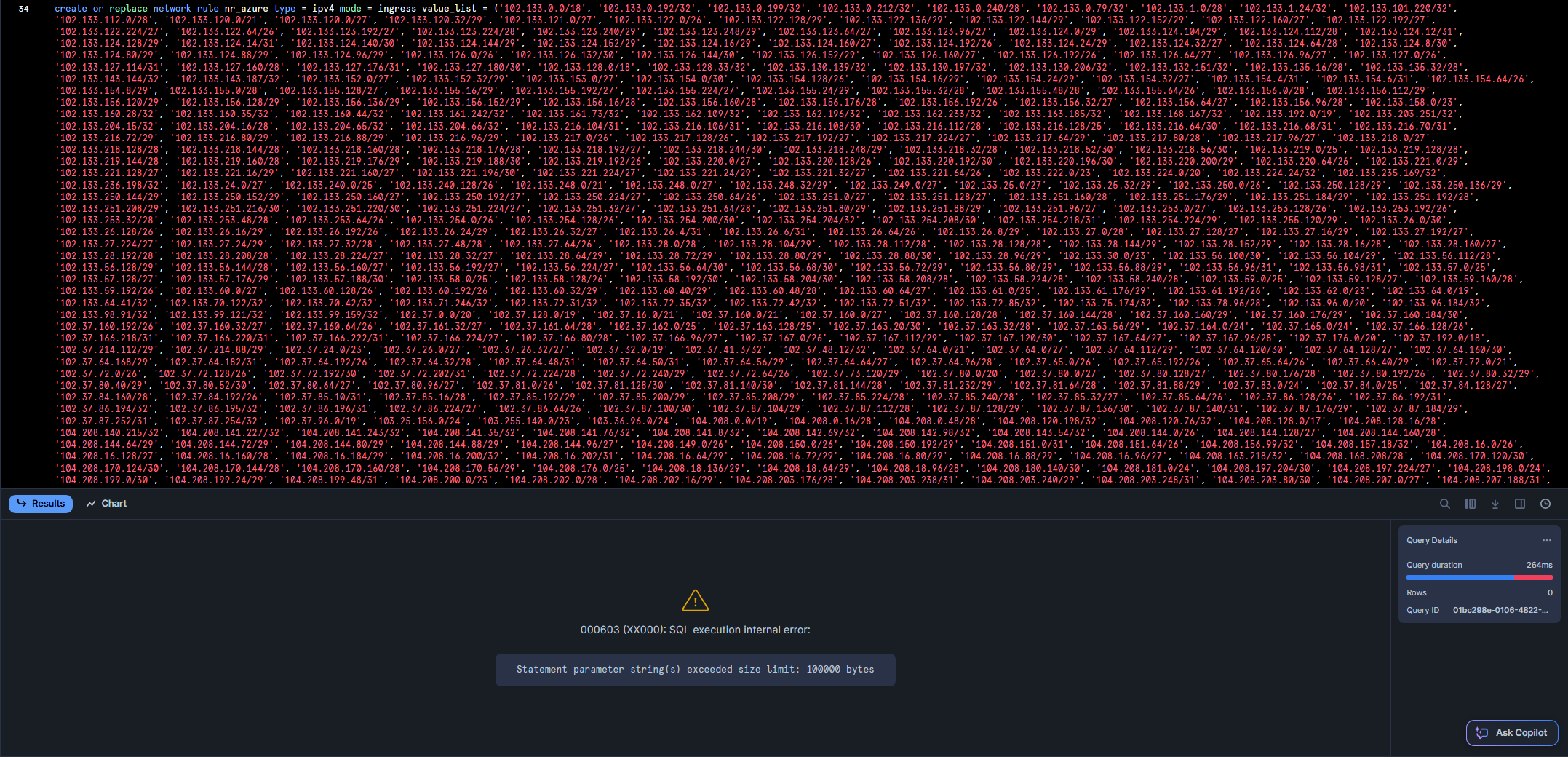
Now, there are currently about 37k IPv4 ranges in the list mentioned above. I tried to add all of them to a single Network Rule, but this returns an (to my knowledge undocumented) error:
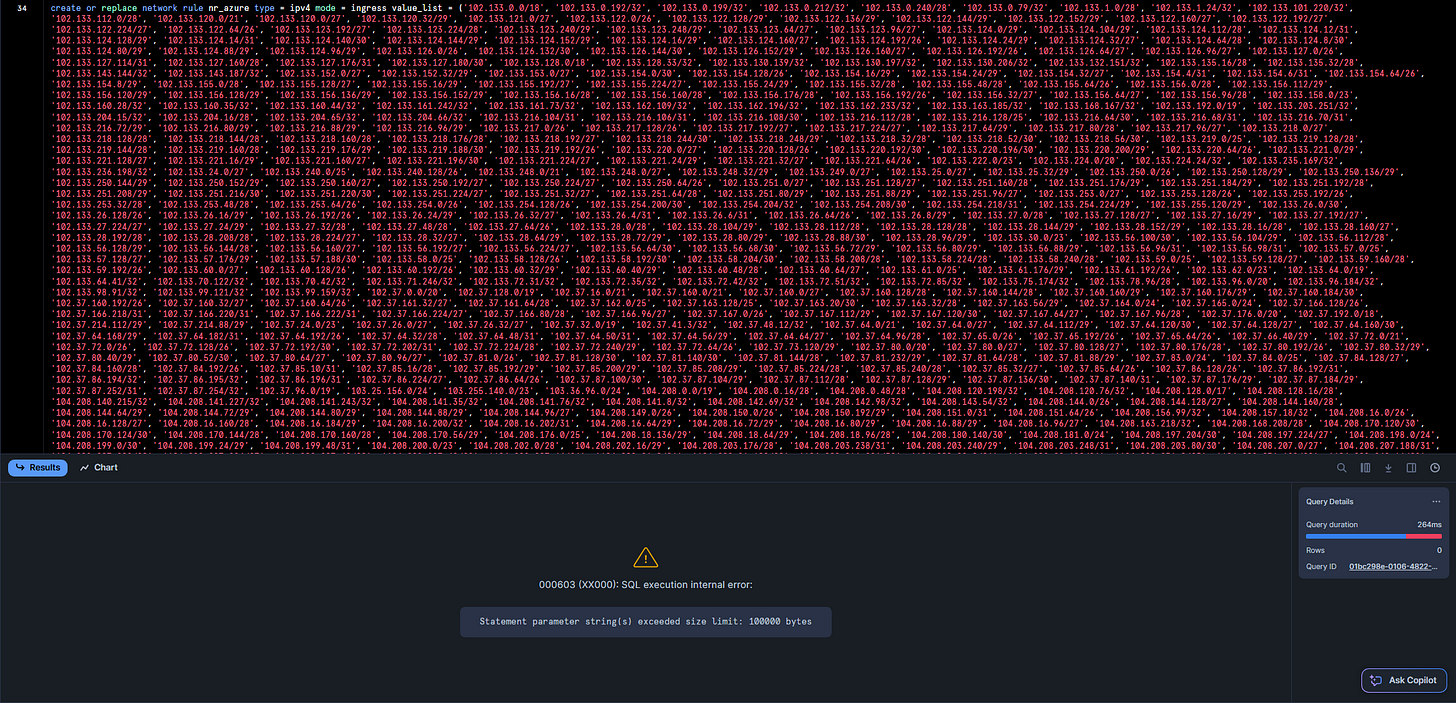
So, I had two options: Either I allow all public IPs in the Provisioning Security Integration (which probably would be fine, it’s just provisioning after all) …
create or replace network rule nr_all_public_ip
mode = 'INGRESS'
type = 'IPV4'
value_list = ('0.0.0.0/0')
comment = 'Network Rule to allow/block public access to Snowflake'
;

use role accountadmin
;

create network policy np_all_public_ip
allowed_network_rule_list = (nr_all_public_ip)
comment = 'Network Policy to allow public access to Snowflake'
;
… or I chunk the IPs into multiple Network Rules to be combined to a Network Policy - which of course I did mostly because of the challenge this error raised 😅
Those are the steps if you want to reproduce the chunking:
- Download all Azure IP ranges from Microsoft
- Upload the JSON to a stage (I use an internal stage here)
- Parse and load the JSON
- Create the DDL statements to create the Network Rules and Network Policy
Afterwards, those DDLs just need to be executed with appropriate privileges.
use role sysadmin
;

create file format if not exists ff_json
type = json
;

create or replace temporary table ipv4_prefixes as
select distinct address_prefix
from (
    with azure_data as (
        select $1 as json_data
        from @s_temp/ServiceTags_Public_20250428.json  -- adjust stage and file name here
        (file_format => ff_json)
    )
    select
        service.value:name::string as service_name,
        prefix.value::string as address_prefix
    from azure_data,
    lateral flatten(input => json_data:values) service,
    lateral flatten(input => service.value:properties:addressPrefixes) prefix
)
where address_prefix not like '%:%'  -- exclude ipv6
;

with ordered_ip as (
    select
        address_prefix,
        ceil(row_number() over (order by address_prefix)/5000) as chunk_id
    from ipv4_prefixes
),
grouped_ip as (
    select
        chunk_id,
        listagg('''' || address_prefix || '''', ', ') within group (order by address_prefix) as ip_list
    from ordered_ip
    group by chunk_id
)
select
    'create or replace network rule nr_azure_' || chunk_id ||
    ' type = ipv4 mode = ingress value_list = (' || ip_list || ');' as sql_cmd
from grouped_ip
union all
select
    'create or replace network policy np_azure allowed_network_rule_list = (' ||
    listagg('nr_azure_' || chunk_id, ', ') || ');'
from grouped_ip
;
I grouped the IPs in chunks of 5000, which worked fine for me - maybe larger chunks would work, too.
The final step, after creating the Network Policy, is to assign it to the Provisioning Security Integration.