Multi-Input Lookup Variable in GTM
How to use lookup variables in GTM with multiple input fields

Lookup Tables (as well as Firestore Lookups) in (client- and server-side) GTM are useful if you have a single key/input variable you want to look up a value for. However, if the condition for such a lookup is more complex, they are not very useful.

As an example: depending on the event, one could set different Google Ads Conversion Labels. But with a simple 1:n lookup, it's impossible to set a label depending on multiple event attributes (i.e. event name, event category, page URL, a link's target URL, etc.).
In the past, this would be possible with a client-side JavaScript variable, but today we can utilize custom variable templates. Let's presume you send (more or less generic) event data to a server-side GTM and would like to identify a conversion-case on wich you then would set a Google Ads Conversion Label. Setting the Label can still be done with a standard lookup variable, as long as you first identify your conversion case with a custom template variable. Or you could include this lookup in the same variable (as I did) since you would have to touch both the case-identifier variable and the lookup variable anyway in case you want to add a new conversion.
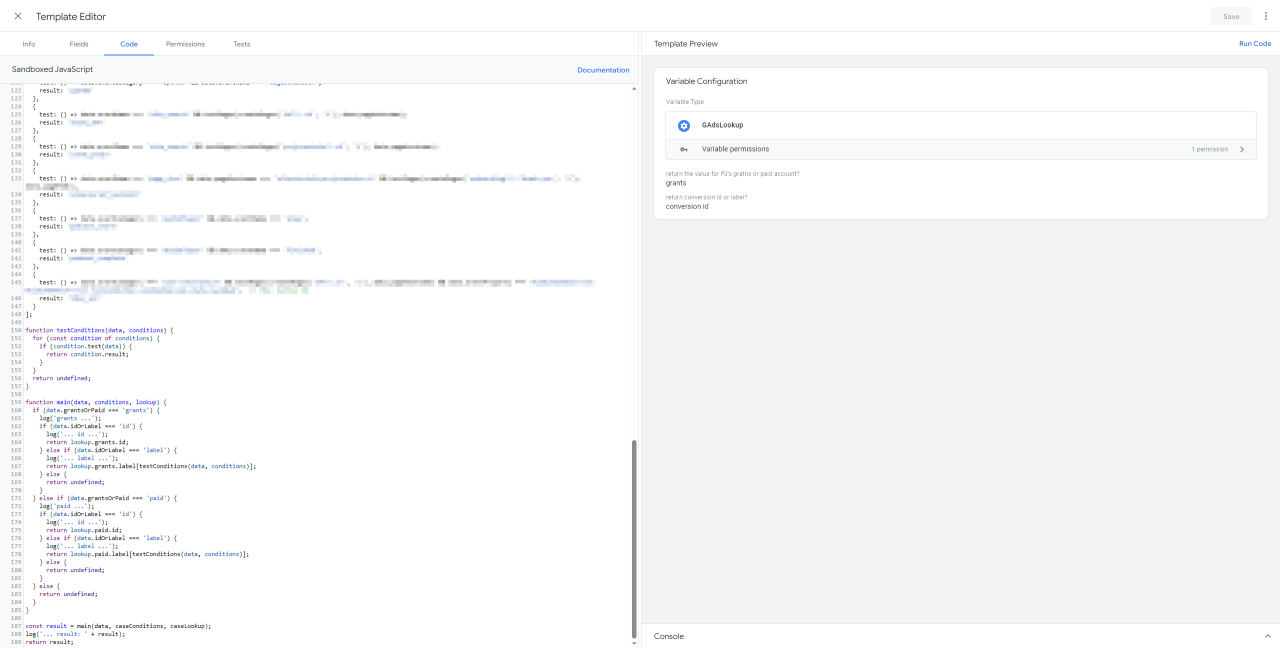
Creating a custom template for a variable is fairly straight forward - you need some input fields (here: event data variables) and some sandboxed JavaScript: developers.google.com/tag-platform/tag-manager/templates
Input fields
For demonstration purposes I would like to return a value (e.g. the Google Ads Conversion Label) in case we tracked an event of the category "audioPlayer", either a "play" or a "finished" event. So we have two input fields: the event category and the event name:

The prior "eventCategory" would be populated by some event data variable (e.g. Snowplow's "x-sp-se_category" value), while the latter "eventName" references the built-in "Event Name" variable.
Also, because we might be using different Google Ads accounts and would like to be able to not just return the Conversion Label, but also the Conversion ID, the variable shall allow the user to select whether they would like to return the Label or ID for Account A or B:

Code
In the Code section we'll first add all the required APIs (as usual). In my example, I won't need any APIs, but I'd like to highlight 2 particularly useful ones: The combination of createRegex and testRegex will allow for more flexible checks of string matches than simple equality. If, for example, you'd like to check if the page hostname matches with an expected root domain, you could test the corresponding (in this demo not used) event data variable:
testRegex(createRegex('rootDomain\\.com', 'i'), data.pageHostname)Second, we'll create the lookup table. Well, JSON rather:
const caseLookup = {
  "A": {
    "id": "1234",
    "label": {
      "podcast_start":            "In7xCL...",
      "podcast_complete":         "C6_ECL..."
    }
  },
  "B": {
    "id": "5678",
    "label": {
      "podcast_start":            "B7Y9CM...",
      "podcast_complete":         "F5hlCM..."
    }
  }
};
The top level in this caseLookup represents the account. Below you'll find the Conversion ID and all the Conversion Labels depending on each case.
Note: this part could very well happen outside this variable using a standard lookup table as explained before.
Third, we'll create an array of conditions to test all (here: both) the input event data against:
const caseConditions = [
  {
    test: () => data.eventCategory === 'audioPlayer' && data.eventName === 'play',
    result: 'podcast_start'
  },
  {
    test: () => data.eventCategory === 'audioPlayer' && data.eventName === 'finished',
    result: 'podcast_complete'
  }
];
Next, we need a small function to test the input event data against the previously created array of conditions:
function testConditions(data, conditions) {
  for (const condition of conditions) {
    if (condition.test(data)) {
      return condition.result;
    }
  }
  return undefined;
}
Now, the main functionality of this variable will be to decide what to return: a Conversion ID or Label for account A or B:
function main(data, conditions, lookup) {
  if (data.account === 'A') {
    if (data.idOrLabel === 'id') {
      return lookup.A.id;
    } else if (data.idOrLabel === 'label') {
      return lookup.A.label[testConditions(data, conditions)];
    } else {
      return undefined;
    }
  } else if (data.account === 'B') {
    if (data.idOrLabel === 'id') {
      return lookup.B.id;
    } else if (data.idOrLabel === 'label') {
      return lookup.B.label[testConditions(data, conditions)];
    } else {
      return undefined;
    }
  } else {
    return undefined;
  }
}
And finally all those functions will be called utilizing the created objects:
const result = main(data, caseConditions, caseLookup);
return result;
And this is already the whole code...

Adding additional conditions and labels will simply require some modifications of the caseLookup and caseConditions (and potentially some additional cases in the main function if additional accounts should be considered).
Using the template
To then create a variable utilizing this template, simply create a new variable, set the input fields and use this new variable in a tag (e.g. the Google Ads Conversion Tag):