Refresh Tableau from inside Snowflake
We don't need no orchestration!


TL/DR: We don't need no orchestration!
The challenge
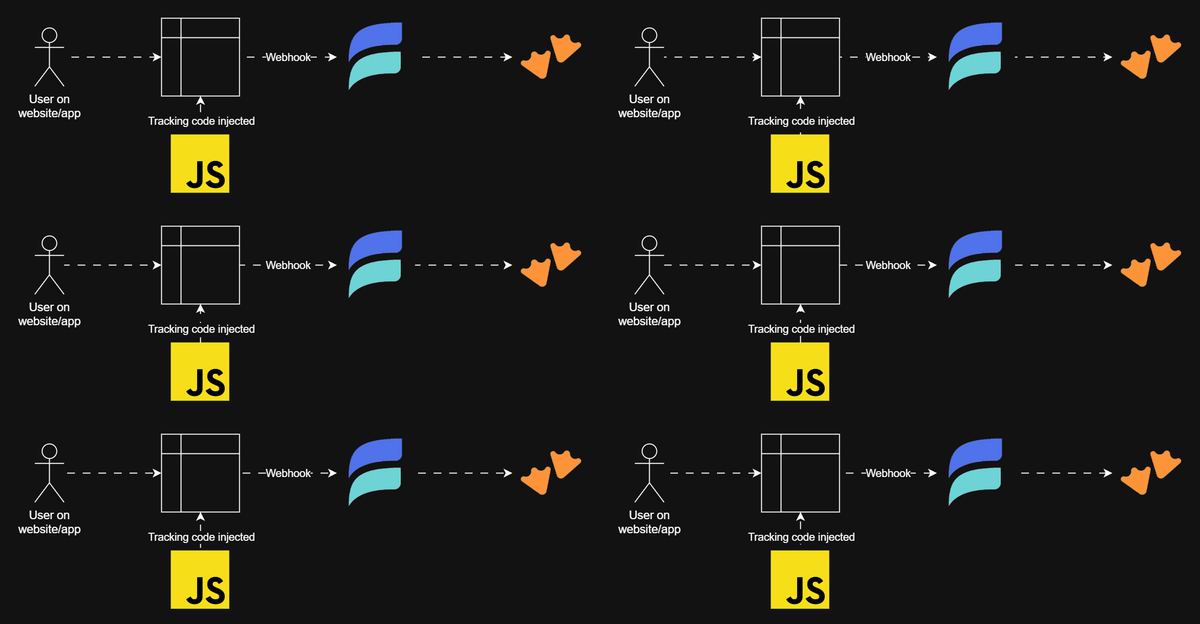
In many cases I use an orchestrator for my data pipelines (mostly Azure Data Factory). However, there are also many cases a Snowflake-external orchestrator is not required or even useful. When the data pipeline is independent from anything else, it might just as well run as a Task in Snowflake. As an example: I stream tracking data into Snowflake (Using Snowplow and Decodable), and once per day I want to run a procedure transforming the latest raw data and add it to the data model. Afterwards, the data from this model should be extracted into a Tableau data source (or workbooks if you prefer not to use data sources) in my Tableau Cloud (or any other visualization tool for that matter - presumably this could be directly translated to any tool you want to use) - not because Snowflake couldn’t handle Tableau connecting to the data model directly, but because it’s cheaper to duplicate and extract it once per day and not use a Snowflake warehouse every time someone looks at a Dashboard in Tableau.
There are 2 ways to trigger a Tableau data source to refresh: Either the extract is scheduled within Tableau Cloud or the extract is triggered via Tableau’s Rest API.
Triggering an extract via API can be done directly from inside Snowflake using a dedicated procedure. This is particularly the preferred way with soon available flexible serverless tasks, as it will be difficult to determine when exactly they run. And that’s the whole point: It doesn’t matter when a task runs. As soon as the data is prepared, the extract is triggered.
Perparation
Sending a request to Tableau’s API requires authentication - of course. Hence, as a first step, we’ll have to get an access token. Those tokens are valid for about 4 hours, so it’s not necessary to get a new token every time a request is made. To do so, we’ll save previously fetched tokens in a table in Snowflake:
create or replace table meta.load.t_token (
  system varchar primary key rely comment 'The system or API this token can be used with'
  , token varchar comment 'The token to authenticate with'
  , inserted timestamp_ntz(9) default current_timestamp() comment 'When was this token inserted into this table?'
  , valid_from timestamp_ntz(9) default current_timestamp() comment 'Since when can this token be used?'
  , valid_to timestamp_ntz(9) comment 'Until when can this token be used before it needs to be refreshed?'
)
comment = 'Table to temporarily save API auth tokens';
Next, we need to store the personal access token for Tableau in Snowflake:
create or replace secret meta.integration.se_tableau_pat
type = password
username = '[your_Tableau_PAT_name]'
password = '[your_Tableau_PAT_secret]'
comment = 'Tableau PAT';
Also, to enable sending requests to endpoints outside of Snowflake, we’ll need an external access integration:
create or replace network rule meta.integration.nr_tableau
mode = 'EGRESS'
type = 'HOST_PORT'
value_list = ('[your_Tableau_pod].online.tableau.com')
comment = 'Network Rule to access online.tableau.com';

use role accountadmin;

create or replace external access integration i_tableau
allowed_network_rules = (meta.integration.nr_tableau)
allowed_authentication_secrets = (meta.integration.se_tableau_pat)
enabled = true
comment = 'Integration to access online.tableau.com';

grant usage on network rule meta.integration.nr_tableau to role sysadmin;
grant usage on integration i_tableau to role sysadmin;

use role sysadmin;
Grant usage of both the network rule and integration to whichever role you use to create (and own) the procedure below.
Get a new token
Whenever the stored token expires, we’ll have to get a new one. This is done by the first of two procedures:
create or replace procedure meta.load.p_get_token_tableau()
returns string
language python
runtime_version = '3.11'
packages = ('snowflake-snowpark-python', 'requests')
handler = 'main'
comment = 'Refresh Tableau API token'
external_access_integrations = (i_tableau)
secrets = ('pat' = meta.integration.se_tableau_pat)
as
$$
import snowflake.snowpark as snowpark
import requests
from datetime import datetime, timedelta
import _snowflake

def get_token():
  pat_name = _snowflake.get_username_password('pat').username
  pat_secret = _snowflake.get_username_password('pat').password

  # Signin endpoint URL
  signin_url = f'https://[your_Tableau_pod].online.tableau.com/api/3.25/auth/signin'

  # Define headers
  headers = {
    'Content-Type': 'application/json',
    'Accept': 'application/json'
  }

  # Prepare the request payload
  payload = {
    "credentials": {
      "personalAccessTokenName": pat_name,
      "personalAccessTokenSecret": pat_secret,
      "site": {
        "contentUrl": "[your_Tableau_site_name]"
      }
    }
  }

  # Make the POST request to get the token
  response = requests.post(signin_url, headers=headers, json=payload)

  # Check for successful response
  if response.status_code == 200:
    token_json = response.json()
    access_token = token_json['credentials']['token']
    return access_token
  else:
    raise Exception(f"Failed to obtain token: {response.status_code} - {response.text}")

def main(session: snowpark.Session):
  # Retrieve the token
  token = get_token()

  # Delete previous token from table
  query_delete = f"""
    DELETE FROM META.LOAD.T_TOKEN
    WHERE SYSTEM = 'tableau'
  """
  session.sql(query_delete).collect()

  # Insert new token
  system_value = 'tableau'
  valid_to_value = datetime.now() + timedelta(hours=2)
  query_insert = f"""
    INSERT INTO META.LOAD.T_TOKEN (SYSTEM, TOKEN, VALID_TO)
    VALUES ('{system_value}', '{token}', '{valid_to_value.strftime('%Y-%m-%d %H:%M:%S')}')
  """
  session.sql(query_insert).collect()

  return f"Tableau token refreshed"
$$;
This procedure uses your individual Tableau site name and will store the refreshed token in the previously created table.
From there it can be picked up by the second procedure:
Refresh data sources
To identify data sources to be refreshed when a data model in Snowflake is ready, a little bit of meta data is required. I use tags as they can easily be searched for in the API. For instance, all data sources related to my “tracking_data” carry such a tag.
create or replace procedure meta.load.p_tableau_refresh_datasource(I_TAG varchar)
returns string
language python
runtime_version = '3.11'
packages = ('snowflake-snowpark-python', 'requests')
handler = 'main'
comment = 'Refresh Tableau data source'
external_access_integrations = (i_tableau)
as
$$
import snowflake.snowpark as snowpark
import requests

def get_token(session: snowpark.Session):
  # Select from META.LOAD.T_TOKEN
  df = session.sql("SELECT * FROM META.LOAD.T_TOKEN WHERE SYSTEM = 'tableau' LIMIT 1").collect()

  # Check if there's a row
  if len(df) == 0 or df[0]['VALID_TO'] <= session.sql("SELECT CURRENT_TIMESTAMP() AS CURRENT_TIMESTAMP").collect()[0]['CURRENT_TIMESTAMP'].replace(tzinfo=None):
    # Call procedure to get new token
    session.sql("CALL META.LOAD.P_GET_TOKEN_TABLEAU()").collect()
    # Select again
    df = session.sql("SELECT * FROM META.LOAD.T_TOKEN WHERE SYSTEM = 'tableau' LIMIT 1").collect()

  # Return the TOKEN value
  if len(df) > 0:
    return df[0]['TOKEN']
  else:
    return "No token found"

def main(session: snowpark.Session, I_TAG):
  # Retrieve the token
  token = get_token(session)

  # Get datasources to be refreshed
  datasources_url = f'https://[your_Tableau_pod].online.tableau.com/api/3.25/sites/[your_Tableau_site_id]/datasources?filter=tags:eq:{I_TAG},hasExtracts:eq:true&fields=id'
  datasources_headers = {
    'X-Tableau-Auth': token,
    'Accept': 'application/json'
  }
  datasources_response = requests.get(datasources_url, headers=datasources_headers)

  # Check for successful response
  if datasources_response.status_code == 200:
    datasources_json = datasources_response.json()
  else:
    raise Exception(f"Failed to get datasources: {datasources_response.status_code} - {datasources_response.text}")

  # For each datasource
  for datasource in datasources_json['datasources']['datasource']:
    datasource_id = datasource['id']

    refresh_url = f'https://[your_Tableau_pod].online.tableau.com/api/3.25/sites/[your_Tableau_site_id]/datasources/{datasource_id}/refresh'
    refresh_headers = {
      'X-Tableau-Auth': token,
      'Accept': 'application/json',
      'Content-Type': 'application/xml'
    }
    refresh_payload = f'<tsRequest></tsRequest>'

    # Send the request
    refresh_response = requests.post(refresh_url, headers=refresh_headers, data=refresh_payload)

    # Check for successful response
    if refresh_response.status_code != 202: #Refreshes run asynchronously
      raise Exception(f"Failed to refresh datasources: {refresh_response.status_code} - {refresh_response.text}")

  return f'Tableau datasources refreshed'
$$;
This procedure doesn’t use the Tableau site name, but the site ID.
First it will check whether there is a valid token in the previously defined table (if not, get a new one). Then it finds all data sources with a particular tag and using extracts (if a data source doesn’t use extracts, there’s nothing to be refreshed):
filter=tags:eq:{I_TAG},hasExtracts:eq:true
Afterwards it loops through all the found data sources to refresh each of them.
Using the procedures
You can call the second procedure from a task or another procedure, i.e.:
create or replace task meta.load.ta_refresh_tracking_data_model
schedule = 'USING CRON 5 0 * * * Europe/Zurich'
comment = 'Update data model every day at 00:05'
as
begin
  call meta.load.p_refresh_tracking_data_model();
  call meta.load.p_tableau_refresh_datasource('tracking_data');
end;