Two AI agents, one repo: delegating Snowflake work from Claude Code to Cortex Code
Claude Code and Snowflake's Cortex Code turn out to be the same agent wearing different hats - and that's exactly what makes them worth combining. A filesystem handoff between two AI agents replaced hours of manual Snowsight clicking.

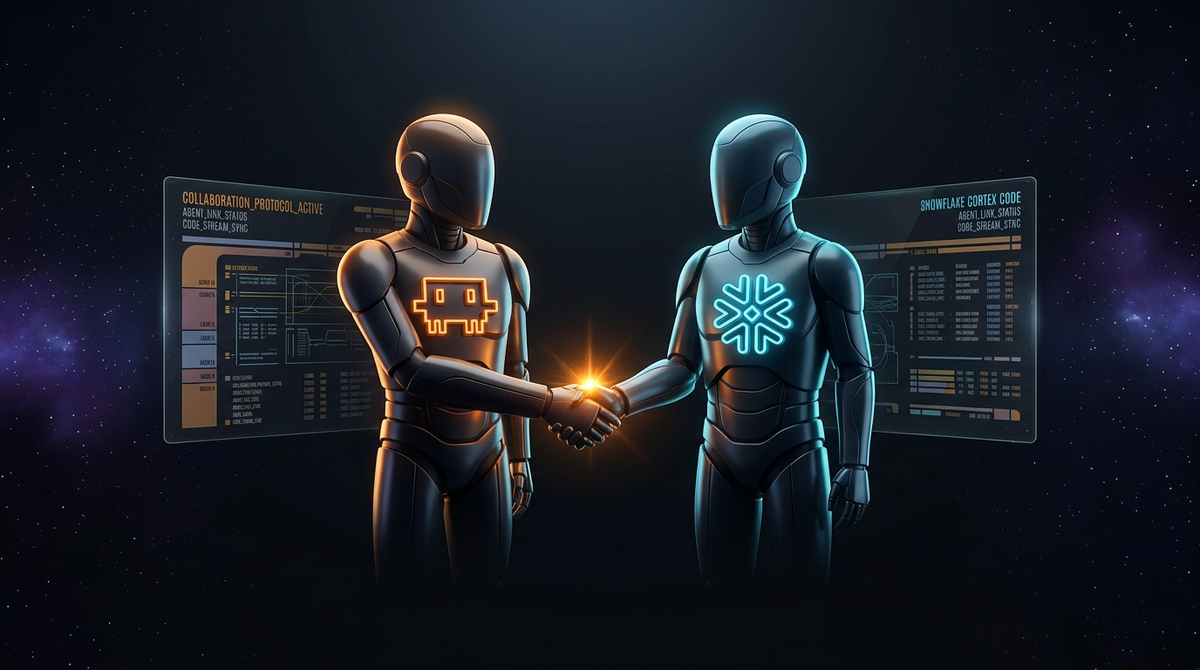
TL/DR: 2 AI coding agents collaborating through a (gitignored) directory and some shared JSON did immediately what manual Snowsight clicking and trial-and-error SQL would have taken hours. The punchline is even better: they turned out to be the same agent wearing different hats.
I've been building a Streamlit dashboard, deployed to Snowflake Container Services (SPCS). Half the work lives in the repo (Docker, YAML, Python, git, project-specific conventions) and half lives in the Snowflake account (semantic views, SQL against real metrics, schema lookups, Cortex Analyst questions). Keeping one agent in charge of both halves felt wrong. Letting two agents each handle their own half, and hand off through the filesystem, turned out to be exactly right.
Cortex Code is Claude Code in disguise
Snowflake released Cortex Code ("CoCo") as their "native AI coding agent". I installed it expecting something purpose-built. The init event in --output-format stream-json said otherwise:
{
  "type": "system",
  "subtype": "init",
  "claude_code_version": "1.0.0",
  "tools": [
    "Read", "Write", "Edit", "Bash", "Grep", "Glob", "WebSearch",
    "snowflake_sql_execute", "SnowflakeObjectSearch",
    "SnowflakeMultiCortexAnalyst", "ReflectSemanticModel",
    "DataDiff", "SnowflakeProductDocs"
  ],
  "apiKeySource": "snowflake"
}
So Snowflake's native agent is Claude Code with Snowflake batteries included and a credit-billing relationship attached. That's actually great news 🥳 It means the 2 agents speak the exact same language: same flags, same session IDs, same stream-json event shape, same skill and MCP model. Orchestrating them is frictionless once the pattern is visible. The story I started out writing was going to be "CoCo vs. Claude Code". The story I ended up with is CoCo and Claude Code, each in its strength zone.
Strength zones (and why combining them is the point)
CoCo wins on Snowflake-account questions. Its snowflake_sql_execute, SnowflakeObjectSearch, ReflectSemanticModel, DataDiff, and SnowflakeProductDocs tools give it live access to the account the way opening Snowsight does. When I asked it to describe a semantic view, it queried the actual view definition and returned metrics, dimensions, and entity lists that matched reality. No hallucinated columns. SnowflakeProductDocs also beats general web search for syntax lookups because it's scoped to the account's edition and version-current. Billing goes through Snowflake credits, so there's no second Anthropic subscription to track.
One thing I didn't expect: CoCo doesn't always reach for its fancy native tools. When asked to discover semantic views, it reached for plain Bash and ran snow sql -q "SHOW SEMANTIC VIEWS" instead of SnowflakeObjectSearch. Faster path, same answer. The agent picks the tool that gets the job done, not the one marked "native".
Claude Code wins on repo-shaped questions. It sees my CLAUDE.md, my .claude/rules/, my project-local skills, my existing conventions, my git history. Cortex Code has Read/Write/Edit/Bash/git in the superset too, but it doesn't see any of that context. Asking CoCo to refactor a multi-file Python module produces something that matches nothing in the codebase. Asking Claude Code to generate SQL against a semantic view it can't introspect and produces hallucinated column names. Each one is genuinely weaker outside its zone.
Snowflake's own framing calls this out quite directly:
If the answer depends on your Snowflake account, use Cortex Code. If the answer depends on your repo/frameworks, use your favorite general coding agent.
 Daniel Myers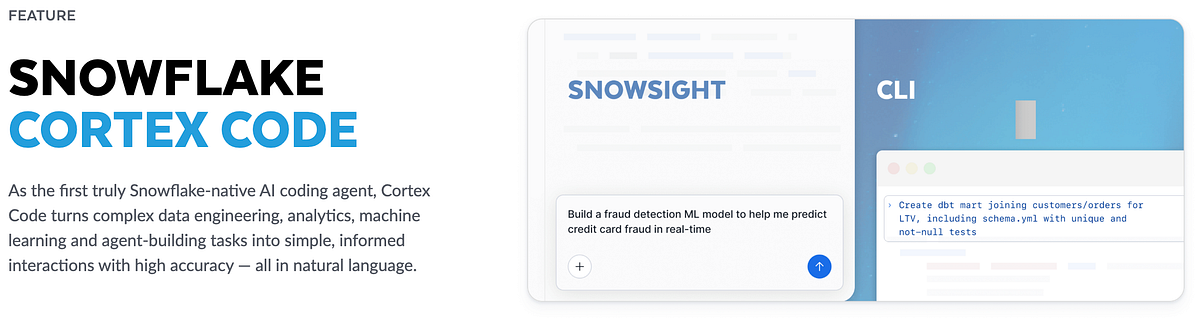
I'll confess I was skeptical when I first read that. It smelled like "we know we're a vertical tool, go use a real agent for real work." After some time of doing the actual dispatch, the framing is honest: each one really is better at its half, and the hand-off is cheap enough that there's no reason not to use both.
Setup notes (the parts the install script doesn't tell you)
Two install-time surprises worth writing down:
First, the official PowerShell installer doesn't love Bitdefender. Snowflake's one-liner is irm https://ai.snowflake.com/static/cc-scripts/install.ps1 | iex, which works everywhere that isn't running aggressive Advanced Threat Defense on PowerShell. On my Windows 11 (yeah yeah, I hear you...) + Bitdefender box, the script downloaded fine, checksummed fine, and then died with [ERROR] Extraction failed - no files extracted when tar tried to unpack the tarball mid-flight. The AV was doing exactly its job (irm | iex is a classic malware delivery pattern) but the error message gave me nothing.
Workaround: do it manually from Git Bash. curl the install script just to read it, extract the S3 layout, curl the version file, parse it with Python, curl the tarball, sha256 verify, extract with GNU tar (the one bundled with Git Bash handles Windows-incompatible symlinks gracefully where Windows' built-in tar.exe chokes), move to %LOCALAPPDATA%\cortex\<version>\, and add that directory to User PATH. Seven steps but reproducible in any locked-down environment.
One caveat on the install: because PATH points at the version-specific directory (%LOCALAPPDATA%\cortex\<version>\), running cortex update in the future will silently break PATH until the entry is updated manually. A stable shim (e.g. a cortex\bin\cortex.cmd forwarding to the current version) would fix this but isn't in the box yet.
Second, the passphrase env var I expected doesn't exist. My keypair auth setup uses PRIVATE_KEY_PASSPHRASE with snow CLI and the Python connector. Cortex Code ignored it. Trying SNOWFLAKE_PRIVATE_KEY_PASSPHRASE and SNOWFLAKE_PRIVATE_KEY_FILE_PWD: also no 😤 Snowflake's docs don't list what CoCo actually reads, so I dumped strings from the 212 MB cortex.exe binary and grep'd for patterns:
import re
with open('cortex.exe', 'rb') as f:
    data = f.read()
strings = set(re.findall(rb'[\x20-\x7e]{8,}', data))
# filter for SNOWFLAKE_ / PRIVATE_KEY / passphrase
1 template string came back: SNOWFLAKE_CONNECTIONS_${profile.toUpperCase()}_PASSWORD. That's it. For a profile named sysadmin, CoCo reads SNOWFLAKE_CONNECTIONS_SYSADMIN_PASSWORD. No equivalent for passphrase at all. The workaround is putting private_key_passphrase directly in ~/.snowflake/connections.toml under the profile block, which works. Security-wise it's roughly a wash (passphrase in a registry-backed env var vs. passphrase in a file ACL'd to the user), just a different attack surface.
Binary archaeology to save hours of trial and error: 10 minutes well spent 😅
How the hand-off actually works
The orchestration pattern is boring, which is the whole point of why it works.
Claude Code hosts a project-local skill at .claude/skills/delegate-to-cortex-code/SKILL.md. The skill file encodes the triggers (non-trivial SQL, semantic view exploration, Cortex Analyst questions, Snowflake docs lookups, data diffs), the anti-triggers (Python, Docker, git, project-context-dependent work, trivial queries), the exact shell incantation, a standard context preamble to prepend to first calls, a hand-back checklist, and a fallback protocol for when delegation fails. Claude Code auto-loads it and routes matching requests without me having to think about it per call.
Each cohesive task gets a .cortex-handoff/<task-slug>/ directory with session.id for resume chaining, response-*.jsonl for the raw tool traces, and the validated .sql + .meta.json outputs. My .gitignore keeps the session id and response JSONLs out of git (the tool traces contain real query results which often include donor PII) but commits the validated SQL and column schemas. That split matters: gitignoring the whole directory would lose the auditable SQL; committing everything would leak PII into git history. The middle ground is the right shape.
Here is the canonical call, lifted from the skill file:
mkdir -p .cortex-handoff/overview
cortex -p "<context preamble>

Produce 5 validated SQLs for the Overview page KPIs...

Write validated queries to .cortex-handoff/overview/<name>.sql" \
  -c sysadmin \
  --workdir . \
  --output-format stream-json \
  --bypass \
  > .cortex-handoff/overview/response-01.jsonl

# capture the session id for follow-up calls
jq -r 'select(.type == "system" and .subtype == "init") | .session_id' \
  .cortex-handoff/overview/response-01.jsonl \
  > .cortex-handoff/overview/session.id
Follow-ups run with cortex --resume "$(cat .cortex-handoff/overview/session.id)" -p "...". The --resume flag is the feature that makes the whole thing economical. The first call carries an expensive context preamble (project, target view, domain vocabulary, constraints); every follow-up resumes from the session id and just says "now add a variant filtered by region". Without it, delegation would feel like pair programming with someone who develops amnesia every 30 seconds 😜
As a rough cost model: each delegation runs 8-30 seconds in wall time for typical queries (simple lookups ~8s, single tool calls ~10s, multi-turn semantic-view discovery ~25s). The full overview task (cf. below) with 5 queries and 18 agent turns ran in 4 minutes. Fast enough that delegation adds no perceptible overhead for anything beyond trivial SQL.
--bypass skips CoCo's permission prompts and should ONLY be used for read-only operations. For DDL or DML, drop the flag and let the user approve interactively. The delegation skill refuses to delegate writes without explicit instruction in the current conversation anyway.Both agents speak stream-json. Both understand sessions. The entire hand-off is files and jq. No MCP bridge, no custom protocol, no vendor-specific integration. The filesystem is the universal interface, and both sides independently evolve without breaking the contract.
What I actually got out of it
2 real cases from my project, one good and one honest.
The good one: an overview page for my NPO fundraising data model. Five KPI queries against the CONSUME.FUNDRAISING.DONATIONS semantic view, delegated in a single 4-minute / 18-turn session. CoCo figured out on its own (unprompted) that the view requires SEMANTIC_VIEW(view METRICS m DIMENSIONS d) syntax rather than plain SELECT. It disambiguated a multi-entity DATE dimension to DONATION_TRANSACTIONS.DATE. It detected that ACTIVE_DONOR is a semi-additive (stock) metric and wrote it as a point-in-time query with ORDER BY DATE DESC LIMIT 1 instead of summing across the period. It used weighted averaging for AVERAGE_AMOUNT (SUM(TOTAL_AMOUNT) / SUM(COUNT_DONATIONS)) instead of the hallucination-friendly "average of averages" path. Every query was validated against real data before being written to a file. Zero manual corrections afterwards. A junior data analyst (or myself on a Monday morning) would have missed at least three of those five details on the first pass 😉
The honest one: Retours. I fed CoCo a prompt that described "returns over time" and asked it to find the right metric in the semantic view. Five-plus minutes of solid work later, it had produced 21 tool calls, five beautiful SQL files, and detailed metadata... for donation refund analysis. Which is not what the business means by "Retours". The previously used production Tableau dashboard, sitting in the repo the whole time, uses "Retours" to mean a returned direct-marketing letter (SUM([RETOUR]) / SUM([SENT])), dimensioned by campaign and reason, from an entirely different source table. Same word, totally different metric. CoCo delivered rigorous, internally consistent SQL for the wrong question, because I had asked the wrong question.
The lesson is short: CoCo can tell me whether my SQL is correct; it cannot tell me whether I'm asking the right thing. For modernization work the fix is to read whatever the business is currently using (my currently used Tableau workbooks are just XML, so the calculated field formulas can be extracted verbatim), embed those as ground truth in the delegation prompt, and only then ask CoCo to translate them into validated SQL. Upfront specificity beats post-hoc correction almost every time.
As a concrete data point: after the Retours course-correction, I redelegated the Overview page with the Tableau calculated-field formulas quoted verbatim in the prompt. The difference was significant:
| v1 (spec discovery) | v2 (Tableau upfront) | |
|---|---|---|
| Wall time | 237 sec | 150 sec (−37%) |
| Agent turns | 18 | 10 (−44%) |
snowflake_sql_execute calls | 19 | 9 (−53%) |
| Corrections needed | wrong concept | 0 |
Upfront specificity is faster AND correct. The only cost is the extraction work itself (reading the existing artifact before writing the prompt), which pays for itself immediately.
And that's it: two agents, one filesystem, two separate strength zones, zero second bills, and finally a coherent story about which of them should be writing the SQL 🤓
One meta-lesson from this whole process: write the workflow down the moment it stabilizes. Don't wait until all the pages are done. Don't think "I'll remember". The time spent writing the skill file is cheaper than onboarding the next person (human or agent) manually.
And here is the skill (created by Claude Code, of course), in case anyone would like to give it a try:
---
name: delegate-to-cortex-code
description: Delegate Snowflake-account work to the locally-installed Cortex Code CLI (cortex). Use when writing non-trivial SQL against Snowflake tables or semantic views, exploring Cortex Analyst models, generating SQL from business questions, validating semantic-model changes, searching for Snowflake objects, comparing data between environments, or looking up current Snowflake syntax. Do NOT use for Python/Streamlit code, Docker/YAML/SPCS plumbing, git operations, or tasks that depend on project CLAUDE.md/rules/skills context — Cortex Code does not see those. This skill exists so Claude Code handles repo/orchestration work while Cortex Code handles Snowflake-account work, following Snowflake's own guidance ("If the answer depends on your Snowflake account, use Cortex Code").
---

# Delegate to Cortex Code CLI

Cortex Code CLI (`cortex`) is installed and authenticated against the `sysadmin` profile in `~/.snowflake/connections.toml`. It runs headlessly and exposes native Snowflake tools (`snowflake_sql_execute`, `SnowflakeObjectSearch`, `SnowflakeMultiCortexAnalyst`, `ReflectSemanticModel`, `DataDiff`, `SnowflakeProductDocs`) along with its own agent, Bash, file editing, and plan mode. It is built on the same Claude Code agent framework as this tool — think of it as a sibling agent with Snowflake superpowers.

## When to delegate (trigger list)

Invoke the delegation protocol **before** taking any of these actions yourself:

- Writing a `SELECT` statement longer than ~3 lines against any Snowflake table or semantic view
- Asking "what metrics/dimensions does `<semantic view>` expose?"
- Generating SQL that answers a business question against a semantic view
- Validating a Cortex Analyst semantic-model change
- Searching for a Snowflake object by name/description across databases and schemas
- Comparing data between two Snowflake tables or environments
- Looking up current Snowflake SQL syntax, function signatures, or features (prefer `SnowflakeProductDocs` over general web search)
- Any task where the answer depends on the live state of the Snowflake account

## When NOT to delegate

Handle yourself with your own tools:

- Python, Streamlit, any application code
- Dockerfile, docker-compose, Kubernetes/SPCS YAML service specs
- Git operations, multi-file edits, refactors
- Debugging Python tracebacks or local test failures
- Work that depends on project `CLAUDE.md`, `.claude/rules/`, or other Claude Code skills (Cortex Code does not see those)
- Trivial queries you already know verbatim (e.g. `SELECT CURRENT_ROLE()`)
- Tasks where you've already delegated enough in the current task and have sufficient context to write the final SQL yourself

## Prerequisites (already in place — do not re-run)

- Cortex Code CLI v1.0.50+ installed at `C:\Users\<user>\AppData\Local\cortex\<version>\cortex.exe`, on User PATH
- `jq` on User PATH (via winget `jqlang.jq`)
- `~/.snowflake/connections.toml` has a `sysadmin` profile with `private_key_passphrase` filled in
- Smoke tests 1–4 passed: auth, headless, session resume, semantic-view discovery

If any of the above is broken, STOP and fall back to the manual query path in "Fallback on failure" below. Do not attempt to re-install Cortex Code from this skill.

## Delegation protocol

### Per-task artifact directory

For each cohesive task (e.g. "build Overview page queries"), create:

```
.cortex-handoff/<task-slug>/
  session.id       # gitignored — ephemeral, used by --resume
  response-*.jsonl # gitignored — tool traces contain real query results (PII)
  *.sql            # COMMITTED — validated SQL queries
  *.meta.json      # COMMITTED — column schemas, no data
  failures.log     # gitignored — debugging notes
```

**Git tracking policy** (set in `.gitignore`):
- `response-*.jsonl`, `session.id`, `failures.log` are **gitignored** because Cortex Code's raw tool traces include real query results that likely contain donor PII (amounts, names, campaign IDs). Committing them would leak sensitive data to git history.
- `.sql` and `.meta.json` files **are** committed. These are the refined, validated artifacts with no embedded data samples — just column names/types and the SQL statement itself. This gives auditability ("what query did we end up running?") without PII leakage.
- Include intent as a comment at the top of each committed `.sql` file if helpful (e.g., `-- Page: Fundraising Overview; purpose: avg donation by year; generated via delegate-to-cortex-code`).

### Standard context preamble

Always prepend this to the **first** call of a task (not subsequent `--resume` calls).

### First call (new session)

```bash
mkdir -p .cortex-handoff/<task-slug>
cortex -p "<standard context preamble>

<actual task, stated explicitly>

When you have a validated SQL query, write it to .cortex-handoff/<task-slug>/<name>.sql and the column metadata (column name, type, description) to .cortex-handoff/<task-slug>/<name>.meta.json" \
  -c sysadmin \
  --workdir . \
  --output-format stream-json \
  --bypass \
  > .cortex-handoff/<task-slug>/response-01.jsonl

# Extract and save the session id for reuse
jq -r 'select(.type == "system" and .subtype == "init") | .session_id' \
  .cortex-handoff/<task-slug>/response-01.jsonl \
  | head -1 > .cortex-handoff/<task-slug>/session.id
```

### Subsequent calls (same task, same session)

```bash
cortex --resume "$(cat .cortex-handoff/<task-slug>/session.id)" \
  -p "<follow-up prompt — no need to re-state context>" \
  -c sysadmin \
  --workdir . \
  --output-format stream-json \
  --bypass \
  > .cortex-handoff/<task-slug>/response-NN.jsonl
```

Session continuation is verified working: Cortex Code remembers the prior turn's query and context.

### How Cortex Code chooses tools (do not prescribe)

Cortex Code's agent decides which tool to use based on the task. Smoke tests showed it often picks `Bash` + the `snow` CLI for discovery rather than `SnowflakeObjectSearch`, and `snowflake_sql_execute` for running queries. That's fine. **Do not dictate tool names in the prompt** — describe the goal and let its agent plan the approach. Check the resulting artifacts, not the tool trace.

## Hand-back checklist

After each delegation, before continuing your own work:

1. Parse the final `result` event from the response JSONL:
   ```bash
   jq -c 'select(.type == "result") | {subtype, is_error, result, duration_ms, num_turns}' \
     .cortex-handoff/<task-slug>/response-NN.jsonl
   ```
2. If `is_error` is `true`, apply the fallback protocol (below).
3. If the task asked for a `.sql` file, verify it exists and is non-empty. Reject if it references unknown columns or tables.
4. Read the `.meta.json` for column types if present.
5. Wire the SQL into the consuming Python function with typed parameters so Streamlit's `@cached_query()` keys correctly.
6. When the task is complete, either delete `.cortex-handoff/<task-slug>/` or move it to `.cortex-handoff/_archive/` so the next task starts clean.

## Fallback on failure

If Cortex Code fails, times out, or returns unusable output:

1. Try once more with a more explicit prompt (state the exact table name, column hints, and example values). Many failures are prompt-clarity issues, not tool bugs.
2. If still failing, use `snow sql -q "..."` via Bash for direct queries.
3. Log the failure in `.cortex-handoff/failures.log` with a short note so patterns become visible over time.
4. Do NOT silently give up — tell the user what failed and how you recovered.

## Safety rules

- `--bypass` skips Cortex Code's permission prompts. Only use it for **read-only** operations. Remove `--bypass` if a task involves DDL, DML, or writes to any object.
- Never put secrets (passwords, keys, tokens) into the prompt body. Cortex Code reads credentials from `~/.snowflake/connections.toml` on its own.
- Never delegate tasks that would modify production data without explicit user instruction in the current conversation.

## Why this pattern exists

Snowflake's own published guidance:

> "If the answer depends on your Snowflake account, use Cortex Code. If the answer depends on your repo/frameworks, use your favorite general coding agent."

Claude Code handles the repo: files, Docker, YAML, Python, git, multi-file refactors, and this project's skills/rules. Cortex Code handles the account: Snowflake objects, Cortex Analyst, semantic models, live data. Each tool stays in its strength zone, and the hand-off happens via the filesystem (`.cortex-handoff/` artifacts) and JSON parsing.